MJO · Connect guide · VS Code
How to connect an MCP server to VS Code
VS Code adds MCP servers for GitHub Copilot from its Customizations editor or the Command Palette. A remote server is an HTTP server; VS Code tries Streamable HTTP first and falls back to SSE.
For MCP Journey Optimization, VS Code is a developer client with a guided flow: nobody has to touch JSON unless they want to share the setup with a team. The comparison with every other client is in the field guide.
What you need
- VS Code with AI features enabled and a local project folder open.
- Copilot selected in the Session Target dropdown. Microsoft's page says that if Copilot Global isn't available, check the Copilot harness requirements.
- Your organisation's policy may restrict which servers you can add. Microsoft says local configuration can't override organisational restrictions.
- The server address, e.g. for the CrushedWithIt server,
<your server URL>.
Steps
- With Copilot selected, run Chat: Open Customizations from the Command Palette and select MCP Servers.
- Select Add Server (+) in the User group.
- Choose HTTP (HTTP or Server-Sent Events) and enter the server endpoint.
- Enter a unique server ID, e.g.
crushedwithit. - Select Global, then Copilot Global: a personal configuration shared across your workspaces.
- Review any trust request before accepting it. If the server uses OAuth, VS Code opens a browser for you to sign in on first connection; use Authenticate if it asks.
Alternatives Microsoft lists: MCP: Add Server for a guided flow, or MCP: Browse MCP Servers to discover one. To share with a team, the guided flow can write a workspace-root .mcp.json for source control.
If you edit the file yourself
Microsoft's reference shows this shape for the editor-managed mcp.json (in .vscode/mcp.json for a workspace):
{
  "servers": {
    "crushedwithit": {
      "type": "http",
      "url": "<your server URL>"
    }
  }
}
The same page says this format is mainly for the deprecated Local harness, and recommends ~/.copilot/mcp-config.json or a workspace-root .mcp.json with a top-level mcpServers object for new Copilot setups. An API key goes in headers, ideally through an inputs variable such as ${input:api-token}, never pasted into chat.
What it looks like (captured 26 Nov 2026)
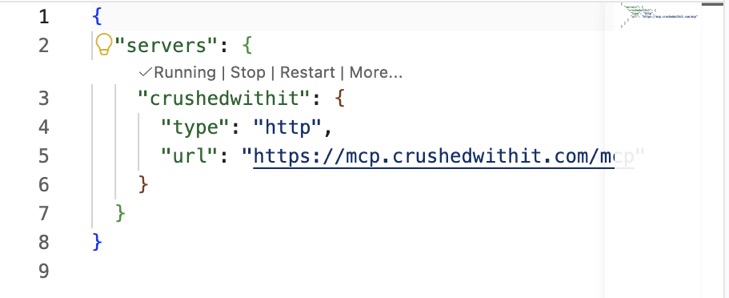
Real screens from adding the CrushedWithIt server to a workspace's .vscode/mcp.json in VS Code.
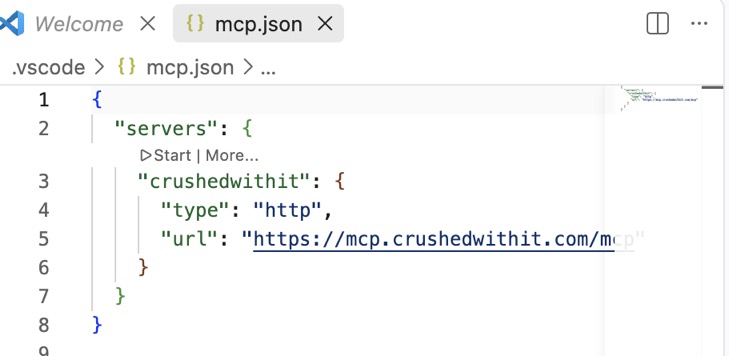
.vscode/mcp.json. VS Code shows a Start link above it.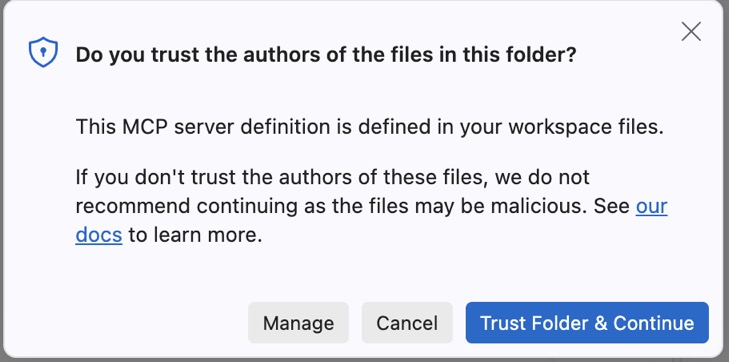
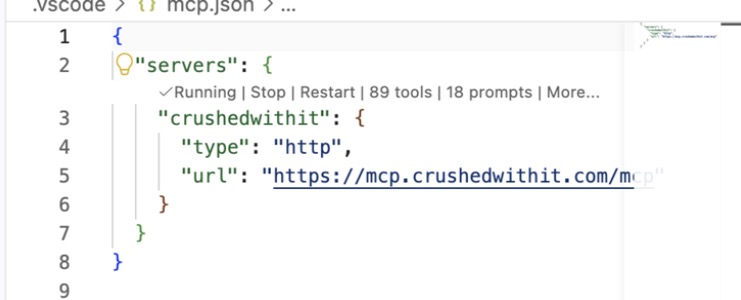
Try it
Ask Copilot for a low-impact task; you don't need to name the server. With the CrushedWithIt server as the example:
Use the crushedwithit tools to show my account and how many credits I can spend now.
Microsoft's check: expand the tool call in the conversation and confirm the server returned the result.
Common errors and fixes
| What you see | Fix | Basis |
|---|---|---|
| HTTP server fails to connect or authenticate | Check the endpoint and network access; follow the publisher's sign-in instructions; inspect errors without exposing credentials. | VS Code docs |
| Need the logs | MCP Servers > server's … menu > Show Output, or MCP: List Servers > server > Show Output. | VS Code docs |
| Startup blocked by trust | Review the configuration and Workspace Trust. Restricted mode prevents workspace-defined servers from starting. | VS Code docs |
| Server not allowed | Ask your administrator to check the managed MCP allowlist. | VS Code docs |
| Old tool list | MCP: Reset Cached Tools clears the editor's cached tool lists; then restart the server. | VS Code docs |
After any fix, Microsoft says to restart the server, retry a request that needs its tools and check the output.
How to disconnect
- Chat: Open Customizations > MCP Servers, open the server's … menu and choose Disable or Uninstall.
- Stop Server only ends the current run; a later request can start it again.
- If Uninstall isn't offered for a server you configured by hand, remove only its entry from the configuration file.
- MCP: Reset Trust resets editor trust decisions for non-workspace sources.
Sources
- VS Code: Add and manage MCP servers, checked 26 Nov 2026.
- VS Code: MCP configuration reference, checked 26 Nov 2026.
- VS Code: Manage and troubleshoot MCP servers, checked 26 Nov 2026.
Other clients: the MCP field guide compares all ten. The framework: MCP Journey Optimization (MJO).