MJO · Connect guide · Cursor
How to connect an MCP server to Cursor
Cursor reads MCP servers from mcp.json, globally or per project, and installs listed servers from its Marketplace with one click. A remote server is just a url; Cursor handles OAuth sign-in itself.
For MCP Journey Optimization, Cursor shows both ends of the Install stage: an "Add to Cursor" button for listed servers and a JSON file for everyone else. The comparison with every other client is in the field guide.
What you need
- Cursor.
- A remote server over Streamable HTTP or SSE. Cursor's docs list both, with OAuth, alongside local stdio servers.
- The server address, e.g. for the CrushedWithIt server,
<your server URL>.
Steps
If the server is in the Cursor Marketplace
Open the Marketplace, find the server and click Add to Cursor. Cursor's docs say this installs it and authenticates with OAuth.
Any other remote server
- Open (or create) the config file:
~/.cursor/mcp.jsonfor every project, or.cursor/mcp.jsonin a project for that project only. - Add your server under
mcpServerswith itsurl:
If the provider gave you a key instead of a sign-in, add a{ "mcpServers": { "crushedwithit": { "url": "<your server URL>" } } }headersobject. Cursor supports${env:NAME}interpolation inurlandheaders, so the key can stay out of the file. - Save. Open Customize in the sidebar to see the server and its toggle.
- Sign in when prompted. Cursor's docs say it uses the authorization code flow with PKCE, finds the authorization server through protected resource metadata (RFC 9728), and with dynamic client registration registers as a public client with no secret. For providers that need fixed credentials, add an
authobject withCLIENT_ID, optionalCLIENT_SECRETand optionalscopes.
What it looks like (captured 26 Nov 2026)
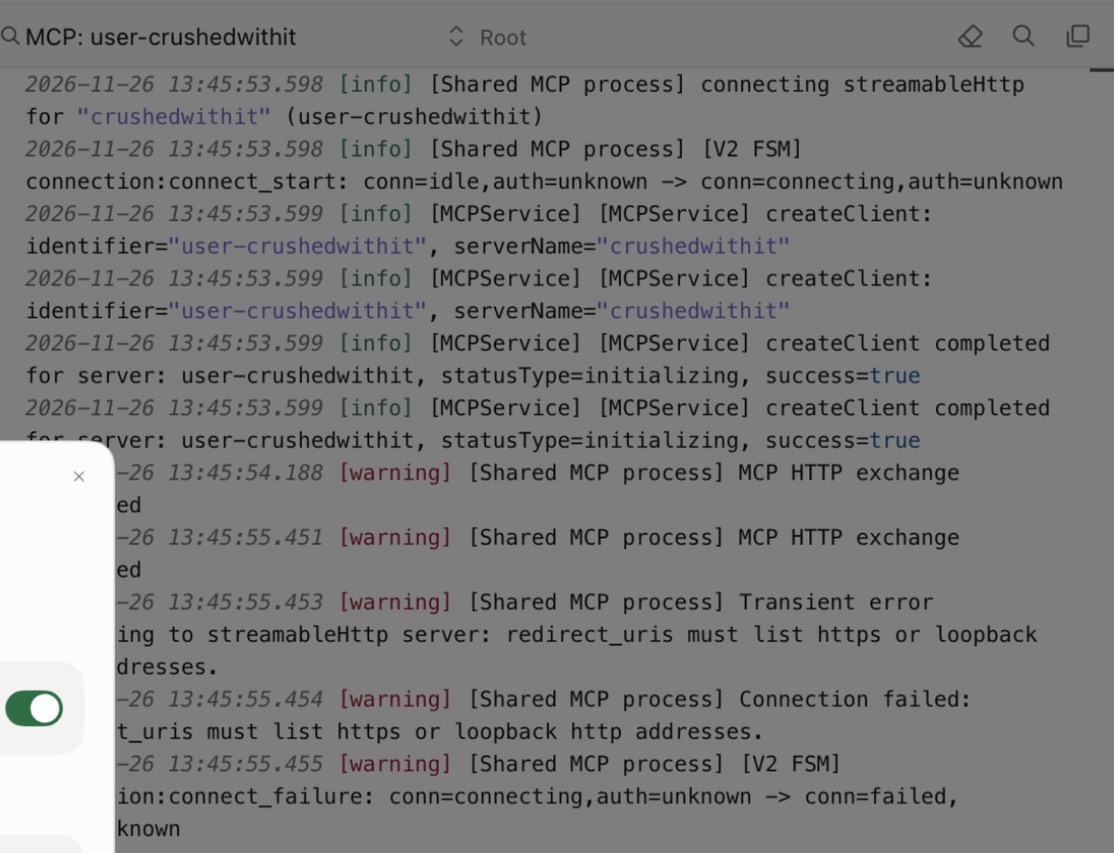
Real screens from adding the CrushedWithIt server to Cursor. The second and third show a real failure we hit on 26 Nov 2026: CrushedWithIt's sign-in server refused Cursor's app-scheme redirect address (cursor://), exactly the Authorize-stage leak essay 3 describes. The fix was on our side, not Cursor's, and shipped the same day: the server now accepts a native app's own redirect scheme, so Cursor reaches the sign-in page. If your own server shows this error, accept private-use URI schemes for native clients (RFC 8252 §7.1).
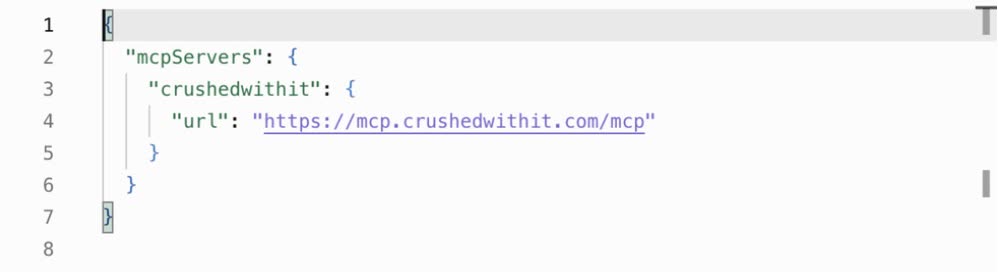
mcp.json (user file ~/.cursor/mcp.json or project .cursor/mcp.json).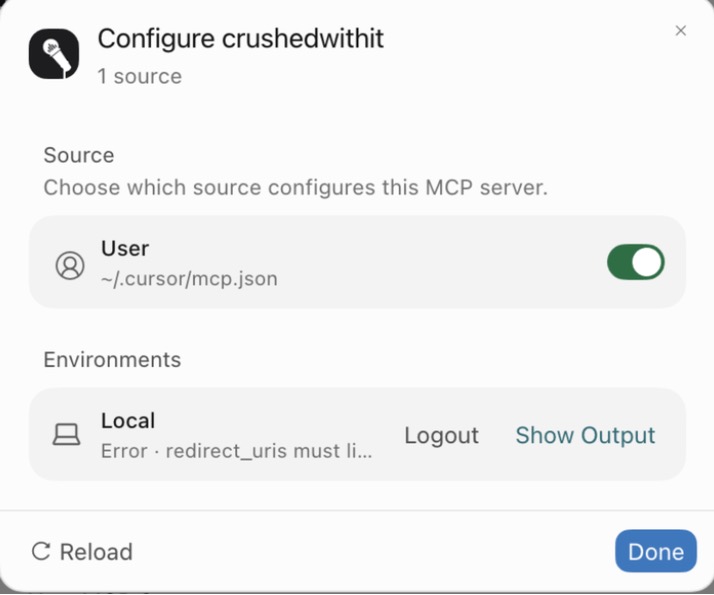
Try it
Cursor uses MCP tools when they are relevant, and you can ask for one by name. Tool approval is required by default; click the arrow next to the tool name to see its arguments before approving. With the CrushedWithIt server as the example:
Use the crushedwithit tools to show my account and how many credits I can spend now.
Common errors and fixes
| What you see | Fix | Basis |
|---|---|---|
| Server fails, tool call marked failed | Open the Output panel (Cmd+Shift+U), choose MCP Logs, and look for connection errors, authentication issues or crashes. | Cursor docs |
| Asked to sign in again | Cursor renews tokens with a refresh token. If the server issues none, you sign in again whenever the token expires; server builders should issue refresh tokens. | Cursor docs |
| Server not in chat | Check its toggle in Customize: disabled servers don't load or appear in chat. | Cursor docs |
| Config copied from another client doesn't work | General: keys differ by client. Cursor uses url; Windsurf documents serverUrl; VS Code's mcp.json uses servers and type. | Each vendor's docs |
| 401 with no sign-in prompt (server builders) | General, from the MCP spec: return 401 with a WWW-Authenticate header pointing to your protected resource metadata. | MCP authorization spec |
How to disconnect
- Disable: open Customize in the sidebar, find the server and switch its toggle off.
- Remove: remove the server from Customize, or delete its entry from
mcp.json. - Cloud Agents: Cursor notes that signing out locally doesn't sign out Cloud Agents; use the server's Cloud row in Customize.
Sources
- Cursor docs: Model Context Protocol, checked 26 Nov 2026.
- MCP authorization specification.
Other clients: the MCP field guide compares all ten. The framework: MCP Journey Optimization (MJO).